Press kit
Foldcard is a flashcard app for iPhone that makes cards from the study guide you already have and schedules them with spaced repetition. It is built around the iPhone Duo's hinge: open it to make cards beside your PDF, fold it shut to review with one hand, stand it half open on a desk to review hands-free.

Contact
E-mail hello@groovio.dev. Review codes are available on request; tell me where you write. You are welcome to use the texts and images on this page in coverage of Foldcard.
Facts
| Name | Foldcard |
|---|---|
| Developer | Groovio s. r. o., Nové Zámky, Slovakia |
| Platform | iPhone with iOS 27 or later. Optimized for iPhone Duo in every posture. |
| Release | October 21, 2026 |
| Price | $14.99, one-time purchase; launch price $8.99 until November 6, 2026. No subscription, no in-app purchases, no ads. |
| Language | The app is in English. Cards and PDFs can be in any language. |
| Category | Education |
| Privacy | No account. No data collected. Cards and PDFs sync only through the user's private iCloud. |
| App Store | apps.apple.com/app/id6823126094 |
| Links | foldcard.groovio.dev · Support · Make a deck with AI |
Descriptions
Copy them as they are, or shorten them.
In one sentence
Foldcard makes flashcards from your PDF study guides and reviews them with spaced repetition, built around the iPhone Duo's hinge.Short (50 words)
Foldcard makes flashcards from your PDF study guides and schedules them with FSRS spaced repetition. On iPhone Duo, opening the phone puts the PDF beside your new cards, folding it shut starts a one-handed review, and half open on a desk it reviews hands-free. No account, no data collected.Long (180 words)
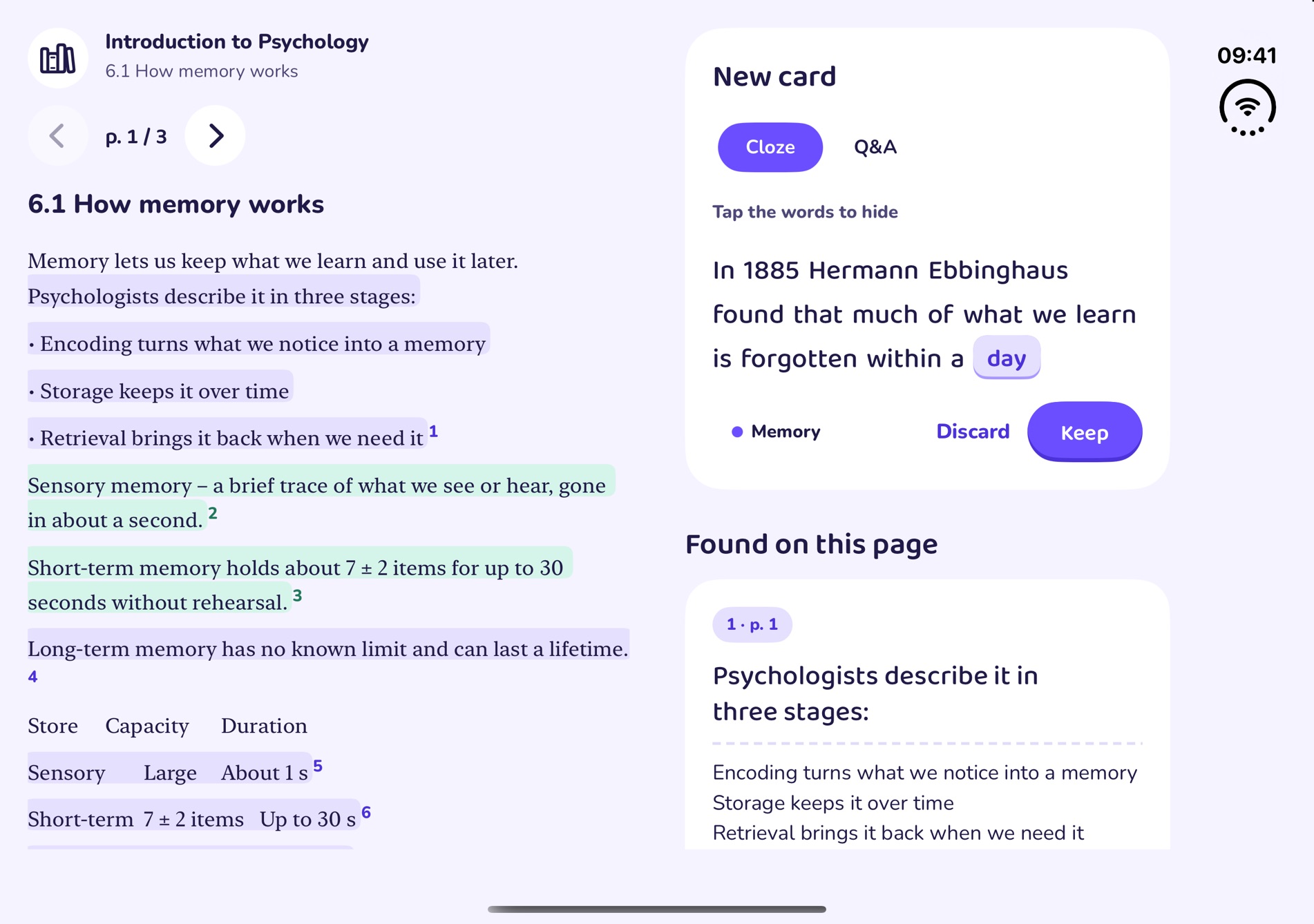
Writing the cards is the hard part of spaced repetition. Foldcard makes them from the study guide you already have. Highlight a sentence in a PDF, tap the words to hide and press Keep: a cloze or question-and-answer card in three taps, linked to the page it came from. Suggestions come from the page itself (bold terms, definitions, lists, table rows and numbers) and, on iPhones with Apple Intelligence, from the on-device model.

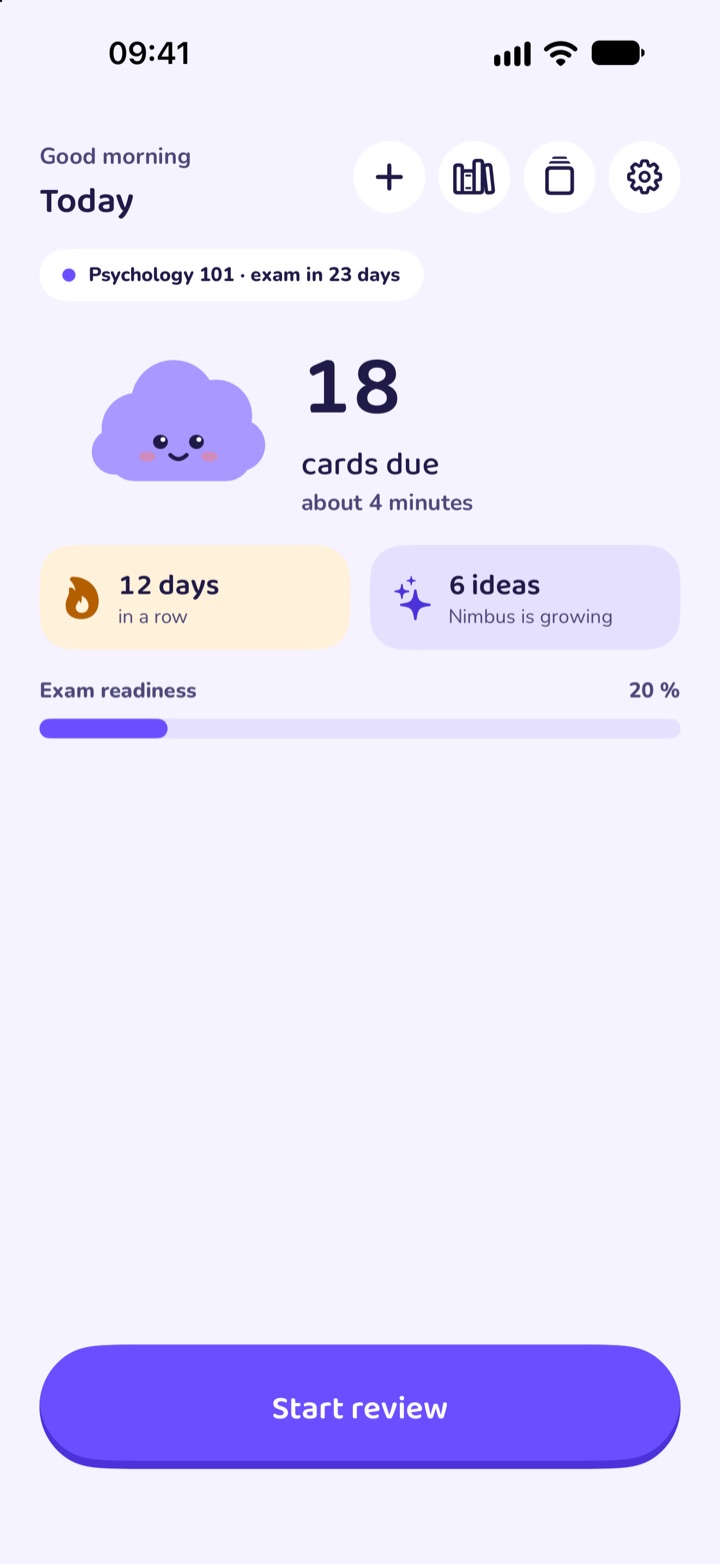
Reviews are scheduled with FSRS, a modern spaced repetition algorithm, so a few minutes a day is enough. Set an exam date and Foldcard shows how ready you are.

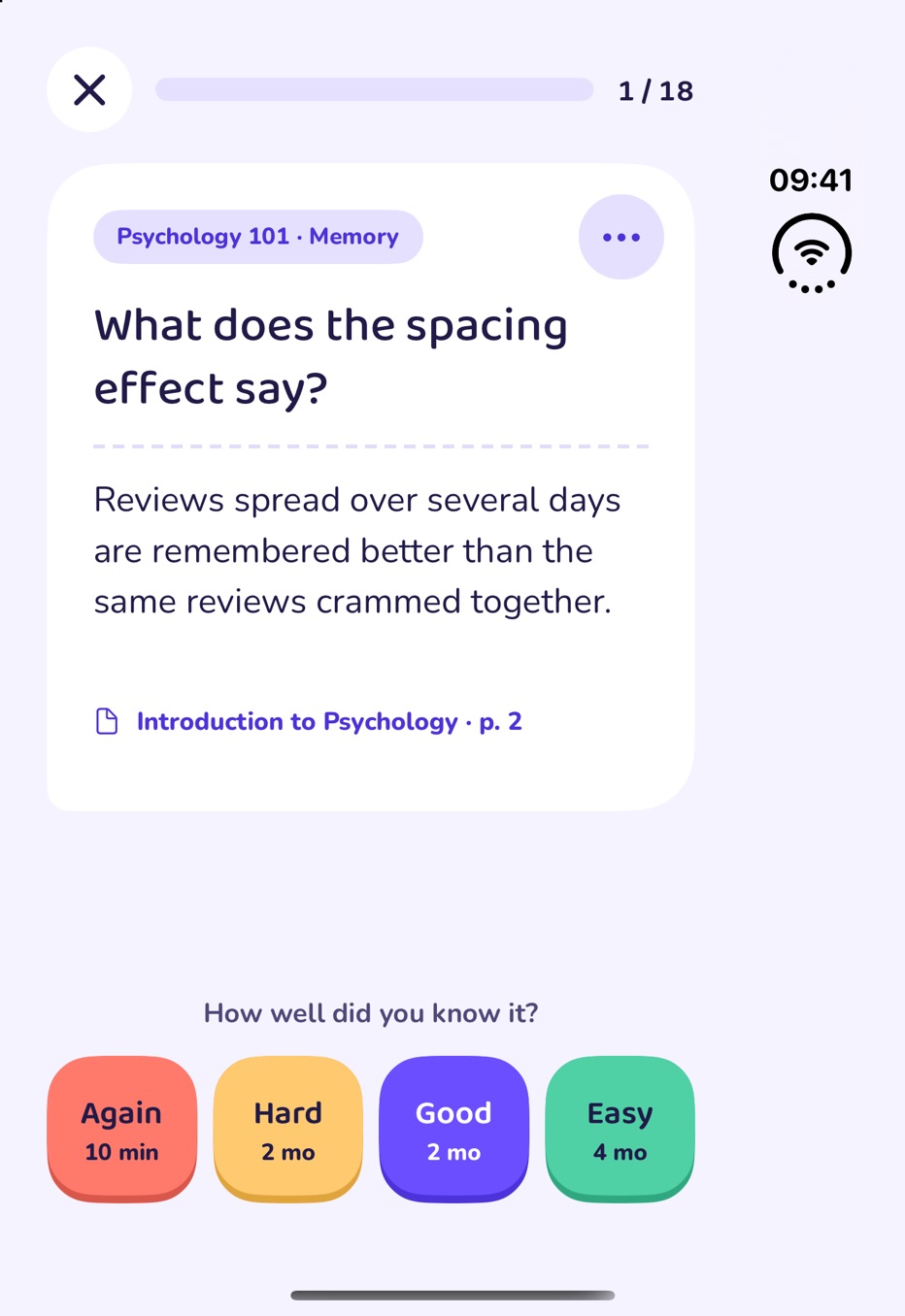
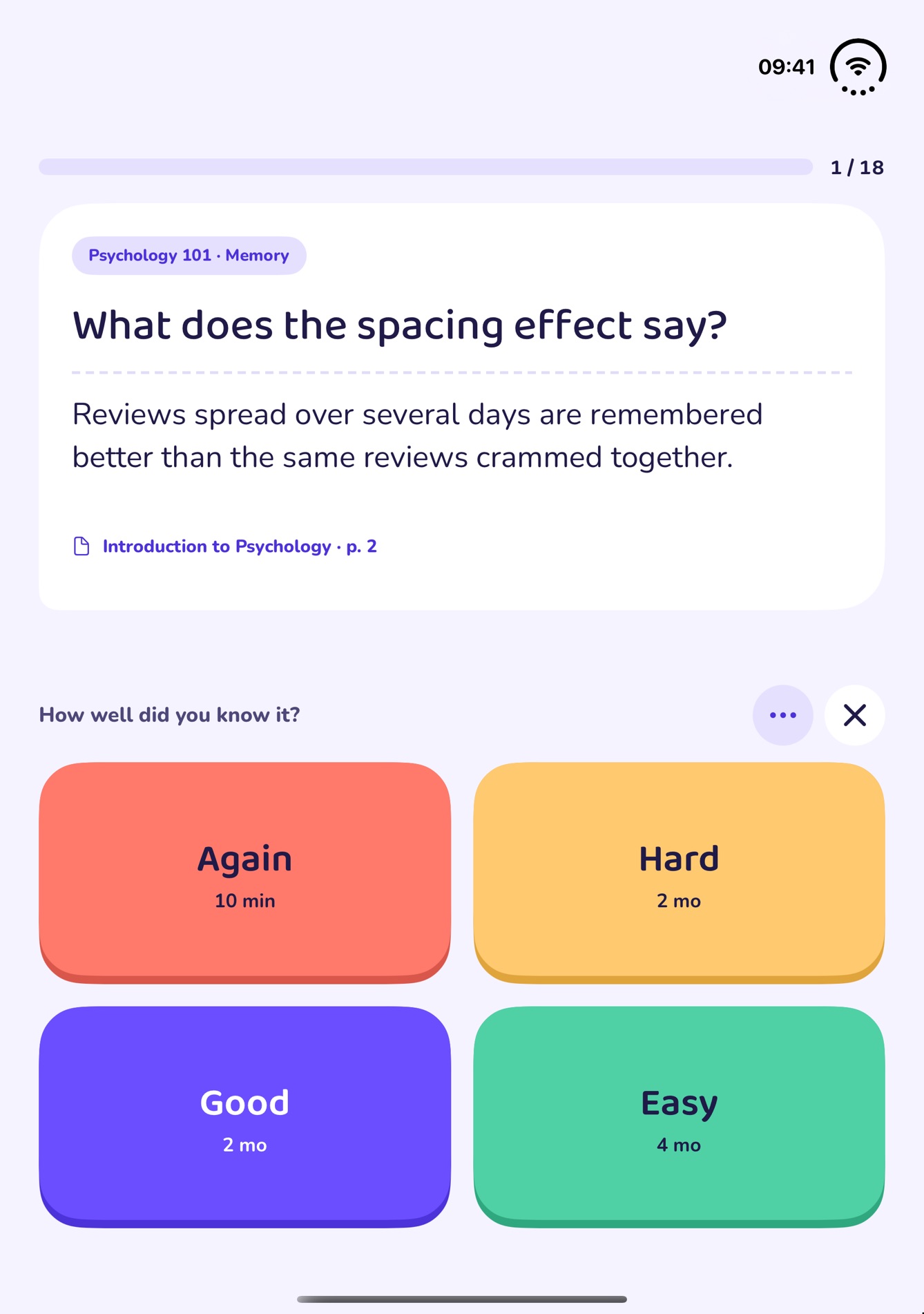
On iPhone Duo every posture has a job. Open, the PDF sits beside the new cards. Closed, the outer screen runs a one-handed review that starts with the cards just made. Half open on a desk, the card stands on the upper half and the rating buttons lie on the lower half. On every other iPhone the same screens sit in one column.

No account, no ads, no analytics. Cards sync only through the user's private iCloud.What it does
- Cards from a PDF in three taps. Highlight, tap the words to hide, Keep. Every card links back to its page.
- Suggestions from the page. Bold terms, lists, table rows and numbers, in any language and offline; with Apple Intelligence, extra questions written on the device.
- FSRS scheduling. Again, Hard, Good or Easy, each with the next interval shown, and exam readiness by day.
- A posture for each step on iPhone Duo. Open to make, closed to review with one hand, half open to review hands-free. Folding the phone right after making cards starts a review of them.
- Decks made with AI on a Mac. A free helper lets Claude, Codex or Antigravity save a deck to the user's iCloud Drive, and Foldcard imports it.
- Private. No account and no server; App Privacy says "Data Not Collected".
Images
Screens as they appear on the device. The ZIP above has full-size App Store images and every posture.